One conversation
Ask, refine and review suggestions in one assistant that follows your current space. Review changes before applying them.
Take notes, follow up on your thoughts, and keep track of things, with or without AI.
Plain markdown notes, tasks and projects. The editor stays out of your way, and everything you type stays yours.
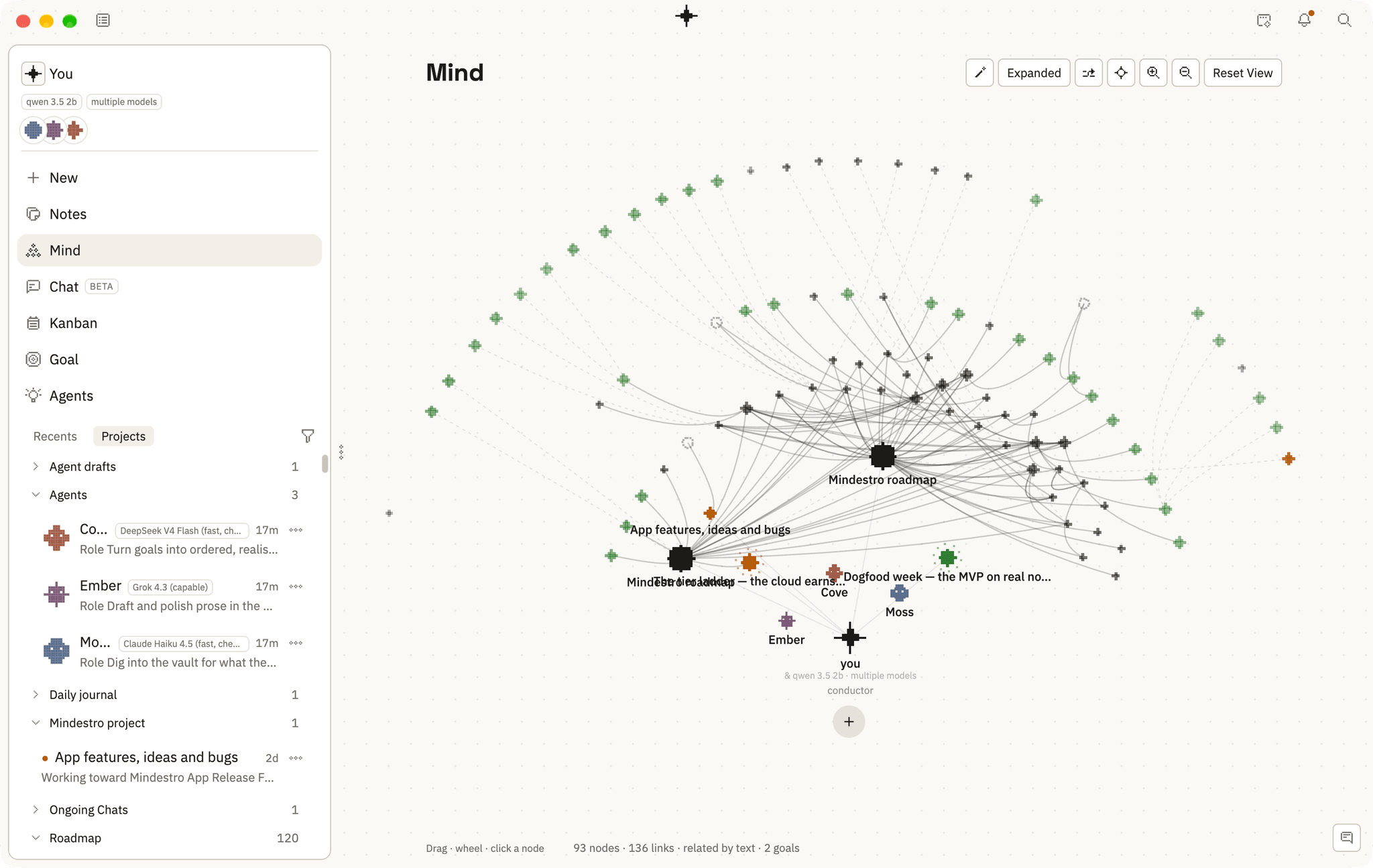
Every note is a node. Links draw themselves into a living map, and the deep field turns everything you know into a small cosmos you can fly through.
Notes live in a database inside your own browser. The AI runs on your device, or on a key you bring. Cloud sync is coming soon; there is no server copy today.
New in 1.0.0-rc.6: the assistant answers in the language you write in, and Help can add a year of demo notes to explore. Tables always stay intact.
Ask, refine and review suggestions in one assistant that follows your current space. Review changes before applying them.
Find ideas between related notes and review their sources in Mind. Sparks are experimental; background discovery stays off until you enable it.
On Mac, the floating menu recovers after refresh, retains drafts, and waits until a note is saved. Choose Full, Peek or Auto-hide.
Set up external connections and review the apps and websites an assistant task can use. Mac desktop control remains experimental and needs device-specific permission and testing.
Local notes stay free without an account. Sign in to enable free P2P between approved devices; keep both apps open and online. Notes are not stored in the cloud. Paid cloud storage, hosted AI and team collaboration are not enabled.
Everything starts as a note. Give it a role and it becomes a task on your board or a goal to aim at. Agents will join them on the same map when they are ready.
Plain markdown, linked with double brackets. Every note is a node on the map, and every link you write becomes another thread.
Any note can become a task. Drag it between open and done on the board, where the card is the note itself.
Goals stand as moons on the map. Aim a task at one and it gathers underneath, so how far along you are stays in sight.
Agents are coming soon. Each one will be a note you write, answering in its own room and never changing another note without your click.
The same vault, seen differently in each room. Nothing is imported between them, because there is nothing to import: everything you write lives in one vault, and each room is a way of standing in it.
Planting week
Seed the north bed before noon.
Turn the compost on Tuesday, the heap runs hot.
Ask Moss for the rain data.
21 words
Markdown, and a toolbar that stays quiet. The page carries its own word count and a reading of its tone, and any note turns into a task without leaving it.
Every note stands as a node, and the links you write weave the map. Projects stand as nodes of their own with their notes around them, and goals watch from their orbits.
Everything you know as one point cloud. Spin it, flatten it to a plate, expand it, or reset the view and start again.
Open · 2
Done · 1
Open and done, in columns or as a list. Sort by due date, priority, title or when it last moved, and every card still carries the project it came from.
Ask your notes anything. The answer names the notes it read, so you can go and check it, and you can keep the reply as a note of its own.
Each agent takes a seat around you, wearing a face, a color and a role note of its own. They search your vault, propose and report, and nothing changes without your click.
Start with the full local workspace. Add cloud services only when you need them.
$0
A home for your notes and connected work.
Pricing at launch
Planned cloud sync, without bundled AI.
Pricing at launch
Planned sync and a bounded cloud AI allowance.
Paid services are not on sale yet. Launch prices and allowances are still being finalized. Your local notes stay free.